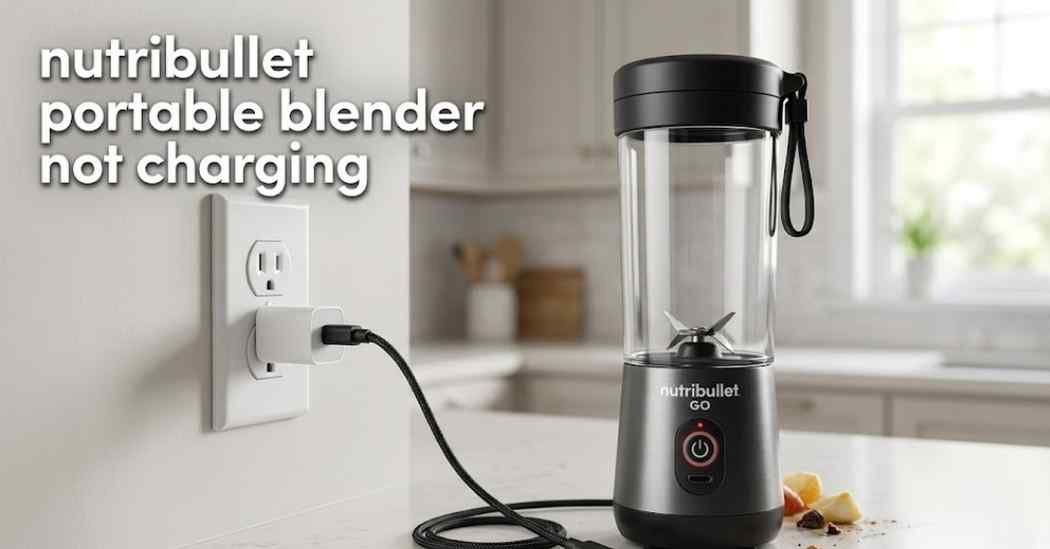
A dead battery can ruin your whole morning routine. My nutribullet portable blender not charging was a huge letdown. I just wanted a quick protein shake after my gym workout.
Instead, I saw a totally blank control panel. I plugged the power cord into the wall outlet. The lights still did not turn on at all.
I use this little machine every single day. I rely on it for my daily fruit smoothies. Seeing it flash red and die was very frustrating for me.
I spent a long time trying to find the real issue. I tested out many different power supplies. I even checked the blender blades to see if they were stuck.
In this guide, I will share exactly what worked for me. You can fix this power issue fast. You do not need to be a tech expert to do this.
Sometimes the perfect fix is very simple and cheap. You might just need a new high-quality USB cord. A fresh wall adapter can also solve the power issue.
A small cleaning brush can help clear out the port. I keep a soft cloth and basic tools handy now. They make taking care of my blender so much easier.
You might also want to check your replacement blender jars. Sometimes a bad fit causes the safety switch to stay turned off. Keep your gear in top shape to avoid power bugs.
Common Signs of the Problem
You need to know what your blender is trying to say. The light signs tell you exactly where you should look. This helps you save lots of time on home repairs.
First, look right at the lights on the base. If no lights turn on, the blender is getting zero power. The internal battery is completely empty right now.
Second, watch out for a bright flashing red light. This often means the motor is way too hot inside. The overload protection system has kicked in to keep you safe.
Third, the blender might turn on for just one second. Then it completely dies again right away. This means the battery cannot hold a full charge anymore.
Finally, you might see the blue lights blink but never stay solid. This shows the device is trying to accept power. It just cannot get enough juice to finish the job.
| Symptom | Likely Cause | Quick Fix |
| No lights turn on | Dead battery | Swap the power cord |
| Red light flashes | Motor is hot | Let device cool down |
| Dies after starting | Weak battery | Charge for three hours |
Possible Causes
Why is this happening to your favorite kitchen gadget? There are a few very common reasons for this exact issue. Most of them are super easy to spot with your eyes.
- The power cord is broken inside the rubber tube.
- The wall outlet has no power going to it.
- The USB charging port is full of dust.
- Liquid leaked past the seals and gaskets.
- The internal battery is simply getting too old.
How to Fix nutribullet portable blender not charging
Let us get your favorite blender working again. These basic steps are very simple and highly safe. I tried all of these methods myself at home.
Check the Power Source
Start with the absolute easiest fix first. Move your blender base to a brand new wall outlet. Sometimes the outlet itself is the real hidden problem.
You can test the outlet with a basic nightlight. If the light turns on, the outlet is totally fine. If it stays dark, you found your main issue.
Next, try to use a different charging block. Your power supply might be too weak to charge the device. Phone chargers are often too weak for blender motors.
Use a strong wall adapter from a highly trusted brand. Look for an adapter that puts out more power. This gives the battery the heavy push it needs.
Swap the Power Cord
Portable blenders use standard USB cords to get power. These thin cords bend and break very easily in your bag. You might not see the hidden damage on the outside rubber.
Borrow a working cord from your phone or your tablet. Plug it directly into the blender base port. If the lights turn on, your old cord was bad.
Make sure the new cord clicks firmly into place. A loose cord will drop the power connection right away. The plug should feel tight and secure.
Do not use very long cords to charge the base. Long cords lose a lot of power along the way. A short cord is always the best choice for fast charging.
Clear Out the Charging Port
You must clean the charging port very carefully every month. Dust and old protein powder can get stuck deep inside. This junk blocks the electrical connection completely.
Take a wooden toothpick or a very soft brush. Scrape out the dirt very gently from the small hole. Do not use metal pins because they can ruin the port.
Never blow into the hole with your mouth. Your breath has a lot of water moisture in it. That hidden moisture can rust the tiny metal pins inside.
Use a dry cotton swab to wipe the outside edges. Keep the area completely free of sticky juice spills. A clean port is the secret to a long battery life.
Let the Motor Cool Down
Did you use the blender a lot before it died? The internal motor might be way too hot to charge safely. This triggers the safety switch right away.
The blender will block all new power until it cools down. Leave it alone on the kitchen counter for one full hour. Then try to plug it in and charge it again.
Blending ice and thick frozen fruit makes the motor work hard. This hard work creates a lot of trapped heat inside. The battery will refuse to charge if it feels hot.
Always give your machine a break between heavy smoothies. This simple habit protects the overload protection system. It keeps your motor running strong for years.
Check for Hidden Leaks
Look very closely at the entire jar assembly. Check the small rubber seals and gaskets for tiny rips. If liquid leaks into the base, the electronics will fail.
Dry the blender parts off completely with a towel. Put the base in a warm, dry place for a whole day. Sometimes drying it out will save the battery.
If you see sticky juice on the control panel, wipe it up. The buttons and settings can get glued down by dried sugar. A stuck button will confuse the computer brain.
Always screw the lid locking system on very tight. A loose lid is the number one cause of water damage. Take your time when putting the cup on the base.
| Problem | Recommended Solution | Difficulty Level |
| Bad cable | Buy a new USB-C cord | Very Easy |
| Dirty port | Wipe port with soft brush | Easy |
| Overheating | Wait one hour to cool | Very Easy |
Mistakes to Avoid
Do not make things worse while trying to fix it. I made a few silly errors at first when learning. You can learn from my simple mistakes today.
Never wash the motorized base in the kitchen sink. Water will quickly destroy the battery and the control panel. Just wipe the outside with a damp sponge instead.
Do not try to run the blender while it is plugged in. The device is not made to blend and charge at the exact same time. This can burn out the battery fast.
Never take the blender apart with heavy steel tools. The base has a safely sealed motor inside of it. Opening it up is a major fire and safety risk.
When to Replace the Blender
Sometimes a home repair is just not possible for you. You really need to know when to finally give up. Opening the sealed motor base is very dangerous.
If you notice a bad burning smell, stop right away. Unplug the cord and put the blender outside on the porch. A burning smell means the inner wiring is totally melted.
If the battery will not hold a charge after a full night, it is dead. The internal battery cannot be swapped out safely at home. You cannot buy a replacement battery easily.
Buying a brand new blender is often the best choice here. It is much safer than playing with broken electronics. You can just buy a new base to match your cups.
| Repair Issue | Estimated Cost | Replace Instead? |
| Broken cord | Ten dollars | No, just buy a cord |
| Dead wall plug | Fifteen dollars | No, buy a plug |
| Dead battery | Not fixable | Yes, replace blender |
My Personal Experience
I want to share my exact personal testing process with you. My blender died right before a long summer road trip. I was feeling very annoyed and stressed out.
I checked the sharp blades first to be totally safe. I thought maybe something was stuck in the drive coupling. The blades moved fine, so that was not the problem.
Then, I looked deep inside the USB port with a flashlight. I found a tiny piece of dried fruit jammed in there. I used a simple wooden toothpick to gently pull it out.
I plugged in a brand new heavy-duty charging cable. The blue lights turned right on instantly. The entire fix took me less than five minutes total.
It felt great to solve the problem without spending money. I learned that keeping the device clean is super important. I never toss it in my bag without a protective case anymore.
Final Thoughts
Dealing with annoying power issues is totally fixable. You just need a little bit of time and patience. Always check your small cords and charging ports first.
I hope my personal tips helped you get power today. Taking good care of your blender will make it last much longer. Keep it dry and always handle the cords with care.
Do not forget to clean your gear after every single use. Small steps prevent huge headaches down the road. Now you can get back to making great healthy smoothies!