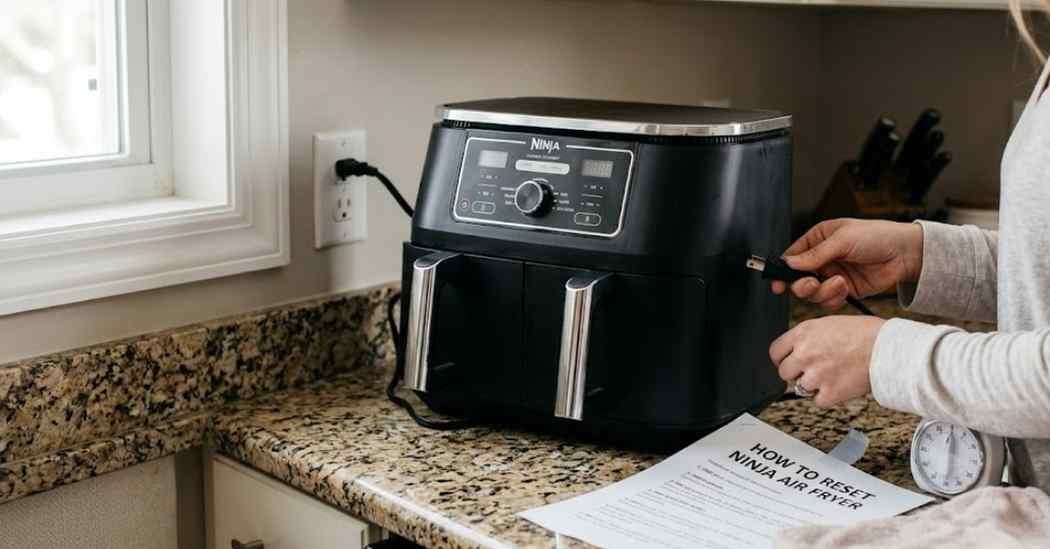
I love my kitchen machines very much. But nothing is more annoying than a frozen display. I was making dinner when my machine just stopped working.
I pushed every button on the control panel. Nothing happened at all when I touched the screen. That is when I had to learn how to reset Ninja air fryer models.
Thankfully, the final fix is much easier than you might think. I want to share exactly what worked for me today. These simple steps will save your dinner and your sanity.
Common Signs Your Air Fryer Needs a Reset
You might notice a few weird things before a complete crash. Your food might still be cold after a full cooking cycle. This is a huge red flag that something is wrong inside.
Sometimes the digital screen freezes on one specific number. The timer issues can make cooking very frustrating for anyone. You cannot adjust the time or the heat at all.
Other times, the unresponsive buttons completely ignore your touch. You press the start button, but the machine stays silent. These startup problems are super common with heavy daily use.
I started using air fryer liners after my first big crash. They catch sticky drips and keep crumbs out of the fan. A clear airflow path stops the machine from acting crazy.
Excess grease buildup can actually trick the sensitive sensors inside. It makes the basket detection fail completely during a cook cycle. A simple daily habit saves you a lot of stress later.
Possible Causes
Power interruptions are a very common reason for these weird errors. A tiny power blink can confuse the computer chip inside. Your machine gets stuck in a loop and cannot boot up.
Overheating protection is another major cause of a frozen machine. If the internal motor gets too hot, it shuts off safely. This stops the plastic unit from catching fire in your home.
Sometimes, it is just a simple software glitch in the system. The control panel issues happen when you press buttons too fast. The internal computer just needs a quick and fresh start.
How To Reset Ninja Air Fryer
Knowing the right steps is the key to fixing this fast. You do not need to be a tech expert to do this. Here is my exact reboot process for a stuck machine.
Power Cycle the Air Fryer
The first thing I try is a quick power cycle. This drains the leftover power from the memory board safely. It is the absolute easiest way to clear a basic glitch.
Just turn the machine off using the main power button. Wait a few extra seconds for the screen to go completely dark. Then turn it back on to see if it works normally.
Unplug and Wait
If a quick cycle fails, you must pull the plug. Unplug the thick cord directly from the wall outlet. This completely cuts off all electricity to the main circuit board.
Leave it unplugged for at least ten whole minutes. This step is very important for clearing out the stubborn error codes. Plug it back into a working wall outlet afterward.
Reset the Control Panel
Sometimes the screen needs a manual nudge to wake up completely. Plug the machine in but keep the power button turned off. Then press and hold the power button down with your finger.
Hold the button for about ten seconds straight without stopping. You might hear a loud beep or see the screen flash. This often clears out minor frozen display bugs instantly.
I also suggest a deep clean of the button area. Sticky kitchen grease can make the plastic buttons stick and freeze. Cleaning the panel with a soft cloth works absolute wonders.
Check the Basket Position
The machine will not start if the basket is slightly loose. There is a small safety switch inside the dark cooking chamber. The basket must push this switch back to turn on safely.
Take the metal basket out and slide it back in firmly. Listen for a loud click when it locks firmly into place. This simple move solves many fake power issues right away.
Let the Air Fryer Cool Down
If you cooked multiple batches, the unit might be too hot. The internal safety thermal fuse will trip on purpose to protect you. You must let the machine rest for a while before trying again.
Unplug the machine and take the basket out to let air flow. Leave it alone on the counter for at least forty-five minutes. Once it cools down, it should start up normally again.
Restore Factory Settings if Available
Some fancy models have a true factory reset option built right in. Check your official user manual for a specific secret button combo. This brings the system software back to day one instantly.
Usually, you hold the time up and down buttons together tightly. Wait for the bright screen to show zeros or flash wildly. This wipes out all your saved cooking presets for good.
Common Reset Problems and Fixes
Sometimes the basic reset trick does not work right away. You might plug it in and the display is still completely frozen. This exact thing happened to me just last week.
| Problem | Possible Cause | Reset Method |
| Display still frozen | Deep system glitch | Unplug for 15 full minutes |
| Buttons not responding | Sticky front panel | Wipe with a soft wet cloth |
| Won’t turn on at all | Tripped wall outlet | Try a new kitchen socket |
You might find the control buttons are still completely dead. Move the heavy machine to a totally different kitchen outlet. This proves if the machine or the wall is actually broken.
Mistakes To Avoid
Do not ever use a cheap extension cord for this gadget. These machines pull a massive amount of electricity to cook food. A weak thin cord can cause a major fire hazard quickly.
Always plug your machine directly into a safe wall outlet. You can use strong surge protectors if they are heavy-duty models. Never force the plastic buttons if they feel stuck or jammed.
Never take the outer plastic case apart by yourself. Exposing the internal wiring ruins your warranty right on the spot. It also breaks basic electrical safety rules in your home.
When To Replace the Air Fryer
Sadly, a quick reset cannot fix a totally dead motor. If the internal fan makes a loud grinding noise, it is doomed. A reset only fixes software, not broken metal parts.
| Symptom | Recommended Fix | Replace Decision |
| Burning plastic smell | Stop using it instantly | Yes, buy a brand new one |
| Screen stays totally dark | Check the wall outlet | Maybe, call brand support |
| Food takes hours to cook | Check the heating coil | Yes, heating element broke |
If your machine is over three years old, let it go. Paying for a pro repair shop costs more than a brand new unit. Treat yourself to a nice new model instead.
My Personal Experience
My favorite cooking machine died right before a big family party. The screen just blinked and went totally black on me. I panicked because I needed those spicy chicken wings fast.
I pulled the thick plug and let it sit on the counter. I wiped the dark grease away with a non-abrasive sponge. Ten minutes later, I plugged it back into the wall socket.
It beeped loudly and the bright screen lit up perfectly again. That simple trick saved my entire dinner party that night. Now I always try the unplug method first before anything else.
Final Thoughts
Dealing with a broken kitchen gadget is never fun at all. But fixing it is usually a very simple and fast job. You just need a little bit of patience to figure it out.
Always remember to unplug the hot unit before you try anything. Keeping it completely wiped down will stop most of these annoying bugs. A well-maintained cooking machine lasts a very long time.
I hope my simple tricks help you cook your dinner tonight. Keep your user manual handy just in case you ever need it. Happy cooking and enjoy your perfectly crispy meals today!