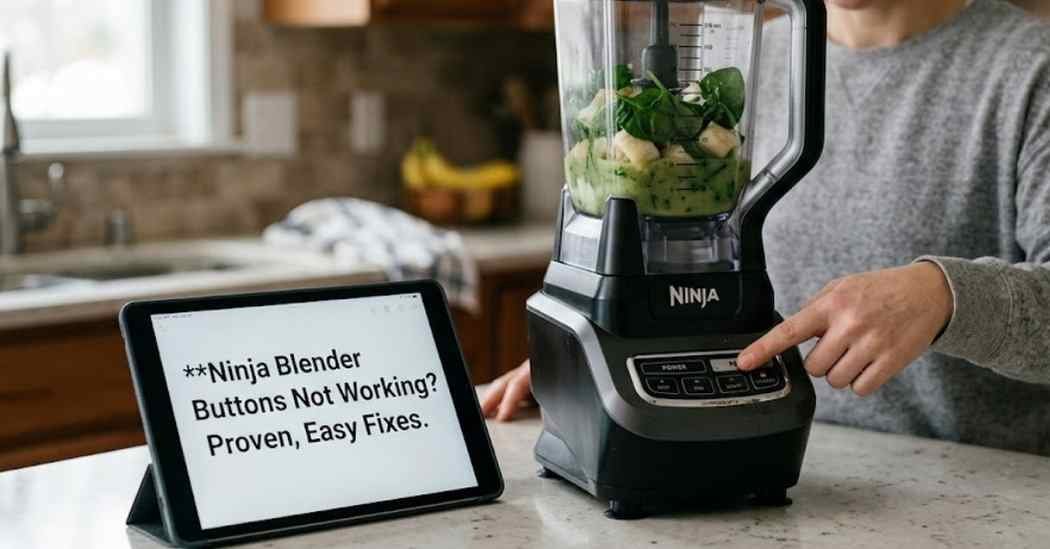
I love making a cold fruit smoothie to start my day right. But last week, I woke up to a very annoying kitchen problem. I put all my fresh fruit in the pitcher and pressed the start button. Nothing happened at all when I pressed it.
Dealing with Ninja blender buttons not working can really ruin your whole morning routine. You might think the motor is totally dead or the machine is broken forever. But the truth about this common problem is usually much simpler.
I spent a few hours testing my machine to find the real issue. I made some silly mistakes while trying to fix it. In this guide, I will show you exactly how to fix those stubborn buttons quickly.
Common Signs of the Problem
You usually notice this issue right when you need the blender the most. You press the main power button, and the machine stays completely dead. The buttons might feel very sticky or hard to press down.
Sometimes, the white power light will flash at you over and over. You might hear a quiet clicking sound or a short error beep. Even with the lights turned on, the different blending speeds just do not respond.
If you see a flashing red light, that is a huge clue for you. It means the safety switch is stopping the strong motor from running. Your machine is trying to tell you that something is not lined up right.
Before I learned how to fix this, I thought my pitcher was just broken. I even started looking up replacement blender jars online to buy a new one. I also grabbed my soft cloths and cleaning brushes to dust off the motor base.
Possible Causes
Blenders are simple kitchen tools, but they have very smart safety features inside. These features stop the sharp blades from spinning if things are set up wrong. This is the main reason your buttons seem completely dead.
The lid locking system is always the most common culprit for this issue. If the lid is not snapped down tight, the control panel simply shuts off. The power cord or the wall outlet could also be loose.
Another big cause is spilled sticky food on the front control panel. Sweet smoothie drips can seep down into the buttons and dry like hard glue. This traps the buttons so they cannot make a good electrical connection.
| Symptom | Likely Cause | Quick Fix |
| Flashing red light | Lid is not locked | Align the arrows |
| Buttons feel stiff | Dried food spills | Wipe with damp cloth |
| No lights at all | Bad power connection | Check the wall outlet |
How to Fix Ninja Blender Buttons Not Working
Let us walk through the exact steps I use to solve this annoying problem. These are very safe, beginner-friendly methods for any home cook. You do not need any special tools to do this work.
Check the Wall Outlet
First, look closely at your thick power cord and your wall outlet. Pull the plug all the way out and push it back in firmly. Make sure it is not loose or falling out of the wall.
You can also test the wall outlet with a small lamp or toaster. If the lamp turns on, the wall outlet is working fine. This rules out a bad power supply right away.
Align the Lid Locking System
Ninja blenders are very strict about their built-in safety features. The jar assembly must sit perfectly flat on the heavy motor base. You have to turn it and lock it in place until you hear a loud click.
Next, check the plastic lid locking system on top. Look for the two little white arrows on the lid and the pitcher handle. These two arrows must point directly at each other to work.
Wipe the Control Panel
Sticky buttons are a huge headache when you want to make a quick drink. Sweet spills make the buttons freeze and stick in place. This is where a good cleaning routine truly saves the day.
Unplug the machine before you start to wipe it down. Use a slightly damp soft cloth to gently rub the front panel. Do not use dripping wet non-abrasive sponges near the sensitive buttons.
Reset the Overload Protection
Your motor has a built-in safety switch to stop it from getting too hot. If you blend thick ice for too long, it might trip this switch. The buttons will lock up completely to save the motor from melting.
To fix this issue, unplug the blender from the wall completely. Let it sit alone on the counter for at least fifteen minutes. This gives the motor time to cool down before you try blending again.
Examine the Blade Assembly
Sometimes the problem is not the buttons, but the parts inside the pitcher. If the blender blades are stuck, the motor will refuse to spin. This makes the buttons feel like they are broken.
Take the pitcher off the base and look at the bottom. Make sure no hard food is jamming the sharp metal blades. Carefully spin the bottom gear with your hand to see if it moves freely.
Inspect the Drive Coupling
The drive coupling is the small gear on top of the heavy motor. It connects the motor to the sharp blades in the pitcher. If this part is dirty or jammed, the machine might block the buttons.
Take a close look at the black rubber gear. Use a small brush to sweep away any dried food chunks. Make sure the gear can turn freely when the machine is completely unplugged.
Mistakes to Avoid
When I first tried to fix my blender, I got very impatient with it. I tried to push the buttons really hard with my heavy thumb. Do not do this, because you can easily break the thin plastic.
Never put the heavy motor base in the kitchen sink. Tap water will ruin the internal wires and cause a bad electric shock. Always keep the power base totally dry and safe.
Do not try to take the motor base apart with a sharp screwdriver. There are no safe parts for you to fix inside that box. Opening the base is very dangerous and it ruins your store warranty.
Another huge mistake is trying to bypass the safety switch. Some people try to push a pen into the lock hole to trick it. This is a terrible idea and can lead to a messy kitchen accident.
| Problem | Recommended Solution | Difficulty Level |
| Loose power plug | Push firmly into outlet | Very Easy |
| Sticky control buttons | Wipe with damp soft cloth | Easy |
| Motor got too hot | Unplug and let it cool | Easy |
When to Replace the Blender
Sometimes, an old machine is just too worn out to save. If you smell a bad burning smell coming from the base, stop using it. That bad smell usually means the motor is fully burnt out.
Check the drive coupling on the top of the heavy base. If the plastic gears are stripped bald or melted, the blades will never turn. You might need to buy a brand new base entirely.
If the buttons are physically cracked and pushed deep inside the machine, give up. A broken control panel is not safe to use near liquids. It is time to treat yourself to a new machine.
You should also check the rubber gaskets and seals on your pitcher. If they leak dirty water into the base, the wires will fry. A bad leak usually means the buttons are shorted out forever.
| Repair Issue | Estimated Cost | Replace Instead? |
| Dirty front panel | Free | No |
| Broken safety switch | High | Yes |
| Burnt out motor | High | Yes |
My Personal Experience
I spent a whole Saturday morning testing my dead blender to fix it. I really thought the main motor was completely dead and gone. I felt really silly when I finally found the real problem.
My big issue was just the plastic lid lock. I had the top lid on tight, but the white arrows were off by a tiny bit. I turned the handle one more inch, heard a snap, and the lights stopped flashing.
I also noticed that my buttons were a bit sticky from old fruit juice. Wiping them down with a soft cloth made them feel brand new. It was a huge relief to fix it without spending any money at all.
Final Thoughts
Fixing a machine that will not start is usually a very easy job. You just have to check the smart safety features first. Always look closely at the top lid, the clear pitcher, and the thick power cord.
Keep your control panel free from sticky syrup and food spills. A quick wipe after making your daily smoothie stops so many problems. Treat your machine well, and it will last for many years.
Now you know exactly what to do when your machine acts up. You can enjoy your morning drinks again without any extra stress. Happy blending!