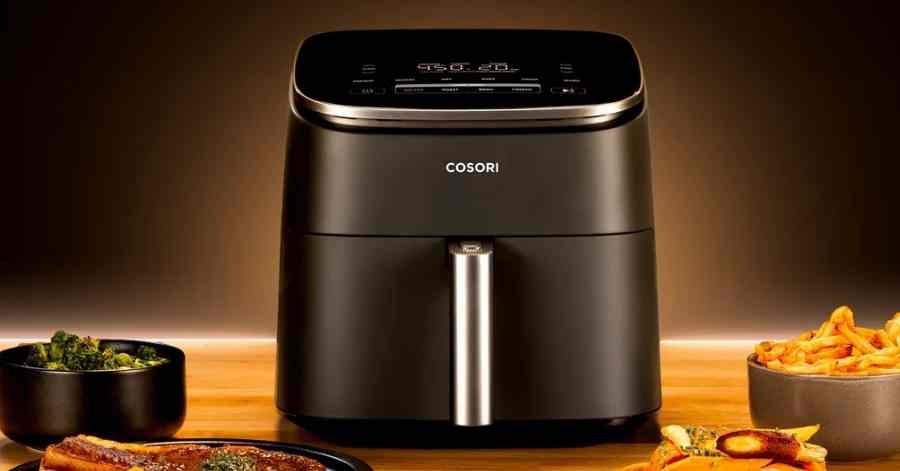
I felt so lost when I saw my cosori air fryer wifi not working. I just wanted to start dinner from my phone like usual. The app simply refused to connect to my favorite kitchen gadget.
I spent hours testing different fixes to solve this exact issue. You do not need to be a tech wizard to fix this problem. I will share the exact steps I took to get mine online again.
Common Signs of the Problem
You might notice the wifi light blinking wildly on your screen. Sometimes the app says the device is totally offline today. Other times, the connection drops right in the middle of a cook.
The VeSync app might freeze when you try to change a setting. You might also see weird error codes pop up on your phone. These strange signs point to a clear network issue with your smart fryer.
The timer system might count down on the fryer but not the app. This bad delay shows that the data is getting lost in the air. You really need both digital screens to match for safe cooking.
While fighting with the app, I decided to prep my cooking basket. I always use handy silicone air fryer liners for my tasty meals. These thick liners stop sticky oil residue from ruining the nonstick coating.
They also keep annoying food crumbs from blocking the vital airflow system. Using good basket protection means I worry less about harsh scrubbing later. A tidy machine always makes me feel much better about daily cooking.
Possible Causes
The most common cause is using the wrong home network band. Your smart fryer needs a basic 2.4GHz network to work right. This single network difference causes almost all daily setup failures.
Another big reason is simple distance from your main home router. Thick kitchen walls can easily block the weak wireless signal. The smart fan system needs a clear path to talk to your router.
Sometimes the VeSync app itself is just acting very buggy. An old app version can stop the whole connection dead in its tracks. A sudden power loss can also scramble the saved network details.
Your machine might forget your home password completely after a bad storm. This annoying glitch forces you to start the pairing process all over again. Let us look at a quick table of these basic connection issues.
| Problem | Likely Cause | Easy Fix |
| App says offline | Wrong wifi band | Switch phone to 2.4GHz |
| Blinking light | Weak home signal | Move router closer |
| Setup fails | Buggy phone app | Update app today |
How To Fix Cosori Air Fryer WiFi Not Working
Now we can get to the fun part of fixing the problem. I promise these steps are very safe and super easy to try. Just take your time and follow along with my exact testing process.
Check Your Network Settings
First, grab your phone and open your main wifi network settings. Make sure your phone is connected to your 2.4GHz home network. This simple check solves the problem for many happy users instantly.
If you are unsure, look at the back of your home router. Connect your phone to the specific network that says 2.4 in the name. Then open the VeSync app and try the quick setup steps again.
Reset Your Smart Router
If the right network fails, you must reset your main router. Unplug the router power cord from the wall for one whole minute. This fresh start clears out hidden bugs in your home network.
It is amazing how often a quick router reboot actually works. It easily fixes heating issues caused by delayed app commands too. I do this basic reboot once a month just to be totally safe.
Hard Reset the Air Fryer
Sometimes the machine itself needs a complete fresh start to work. Unplug your air fryer from the kitchen wall for five whole minutes. Press and hold the power button for ten full seconds to reset.
You should hear a loud beep when the manual reset is done. The wifi light will start blinking fast to show it is fully ready. This fresh pairing process usually works like an absolute charm.
While doing a reset, I always check for dirty control buttons. A good clean makes sure the touch screen works perfectly every time. Proper cleaning stops grease from making the sensitive buttons stick down entirely.
A damp non-abrasive sponge is perfect for the outer plastic shell. A simple household degreaser handles any stubborn spots near the top vent. Keeping the machine spotless stops worse electrical problems down the busy road.
Keeping Your App Updated
The VeSync app gets new updates from the developer very often. These hidden updates fix known bugs that cause sudden connection drops. Always check your phone app store for a shiny new software version.
Running an outdated app is a huge mistake for smart appliances. The old app code cannot talk properly to the newer secure servers. A fast software download can magically solve your biggest network headaches.
Mistakes To Avoid
Never try to take the digital screen apart by yourself ever. Opening the outer case will instantly void your helpful store warranty. Always keep your personal safety as your absolute number one priority.
Do not use harsh metal tools to poke the tiny reset button. You can easily break the delicate switch inside the smart panel. Gentle touches are all this smart appliance really needs to work perfectly.
Another bad mistake is placing the fryer right next to a wet sink. Water splashes can easily fry the sensitive internal timer system fast. Good appliance placement stops sudden basket detection failures and random power shorts.
| User Mistake | Risk Level | Better Action |
| Opening the case | Very High | Call tech support |
| Poking buttons hard | Medium | Press very gently |
| Putting near sink | High | Move to dry counter |
When To Replace the Air Fryer
Sometimes a lost connection points to a totally dead internal chip. A dead wifi chip cannot be fixed at home by a regular beginner. You might need to contact the brand directly for a fast replacement.
If your machine is under warranty, they will usually send a new one. I highly recommend calling their friendly customer support team for quick help. Do not throw it away before checking your handy current warranty status.
If the machine is very old, buying a new one makes sense. Newer models connect faster and offer way more fun smart features. Sometimes treating yourself to an amazing upgrade is the best overall choice.
| Repair Issue | Fix Cost | Replace Decision |
| App bug | Free | Keep using it |
| Bad router | Varies | Fix network |
| Dead internal chip | High | Buy new fryer |
My Personal Experience
I spent a whole Saturday fighting with my smart kitchen gadget. I kept trying to use my fancy 5GHz network by total mistake. Once I switched my phone over, the pairing worked in five quick seconds.
Now my smart appliance connects to my phone perfectly every single time. I get instant phone alerts when my hot food is fully done. The smart features really do make daily cooking much more fun.
I also learned to keep my router out in the wide open. Hiding it behind my heavy TV blocked the vital signal to the kitchen. Moving the router gave my entire house much better daily network speed.
Final Thoughts
Having your cosori air fryer wifi not working is a big daily pain. But fixing it is usually just a simple matter of checking network settings. A quick hard reset handles the rest of the stubborn daily bugs.
Regular maintenance helps keep the whole machine running smoothly for years. I hope my personal troubleshooting tips help you get back to easy cooking. Enjoy all your delicious and perfectly cooked meals with your family!