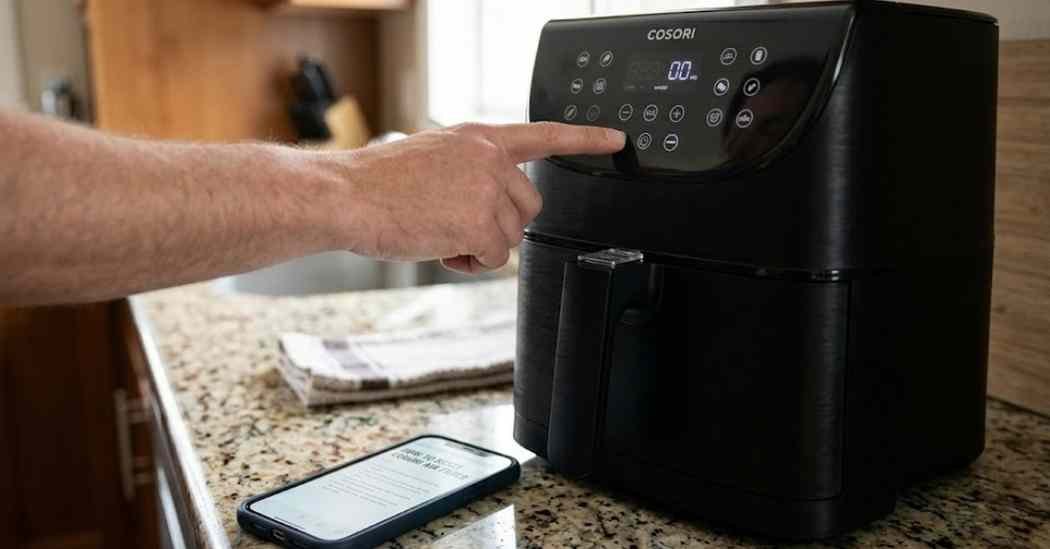
Learning how to reset cosori air fryer saved my dinner from total disaster last week. I was trying to make some simple chicken wings when the screen froze completely. Nothing would work, and I felt so frustrated staring at those unresponsive buttons.
I spent an hour figuring out the right reboot process to get it working again. The manual was slightly confusing, so I tested the methods myself to find the truth. Today, I want to share my exact steps so you can fix your startup problems fast.
Common Signs Your Air Fryer Needs a Reset
You might notice a frozen display right when you try to cook a quick meal. The control panel issues can happen without any warning at all during your daily routine. Sometimes, the buttons just stop responding to your touch completely for no clear reason.
You might also see weird error codes flashing on the bright digital screen. A quick reset often fixes these exact issues in just a few short minutes. It clears the software panic and lets the machine breathe and start over normally.
I also learned that basic maintenance habits keep these annoying errors far away. Using simple air fryer liners provides great basket protection against sticky burnt food messes. This keeps the internal sensors safe and helps prevent random power glitches from happening.
Possible Causes
A random power interruption is a huge reason why these smart appliances freeze up suddenly. A quick power surge can confuse the internal computer board very easily in seconds. When the power blinks, the machine locks up to protect the delicate internal wiring.
The built-in overheating protection can also lock the machine to keep your kitchen safe. The system just shuts down to cool off and avoid causing serious fire damage. Sometimes, a simple basket detection error makes the whole system freeze up and stop.
| Problem | Possible Cause | Reset Method |
| Frozen display | Power surge | Unplug for 10 minutes |
| Error codes | Overheating protection | Let cool for 30 minutes |
| Unresponsive buttons | System glitch | Power cycle the machine |
A loose power plug can also cause strange timer issues during your daily cooking. The machine thinks it lost power and just freezes in place very safely. Too much grease buildup on the safety switch also blocks the basket detection system.
This makes the system think the drawer is still open and totally unsafe to run. Always check the plug and the drawer before trying a hard reboot process at home. Finding the root cause helps you stop the problem from happening again tomorrow.
How To Reset Cosori Air Fryer
You can fix most glitches with a simple step-by-step reboot process right at home. I always start with the easiest fixes before trying a full system factory reset. These steps are very safe and will not harm your favorite kitchen appliance at all.
Just make sure your hands are totally dry before touching the heavy power cord. Follow these helpful methods in exact order to get your machine running again smoothly. I have tested all of these tricks myself to make sure they actually work well.
Power Cycle the Air Fryer
A quick power cycle is the very first thing you must try to do. Turn off the machine using the main power button on the front control panel. Wait about ten full seconds for the screen to go completely dark and silent.
Press the power button again to see if the main menu loads properly now. This simple step fixes minor control panel issues almost every single time I try it. It gives the tiny computer system a fast chance to clear bugs safely.
Unplug and Wait
If a quick cycle fails, you need to pull the main power plug entirely. Take the thick cord out of the wall outlet and wait ten full minutes. This drains the leftover electricity from the internal circuit board completely to reset it.
After ten minutes, plug it firmly back into the standard wall outlet directly. Turn it on to see if the annoying frozen display is finally gone forever. This hard reset is my absolute favorite trick for stubborn smart kitchen appliances.
While it is completely unplugged, you should always perform a quick wipe down. Use a soft cloth or non-abrasive sponges to clean the outside screen fully. Good cleaning habits keep sticky kitchen grease away from the very sensitive digital controls.
Reset the Control Panel
Sometimes the main buttons just need a special sequence to wake up properly. Many models have a hidden trick to reset the digital touch screen memory completely. Press and hold the power button firmly for about five to ten whole seconds.
Some units require holding the temperature dial down at the exact same time. This forces the system to drop any current errors and start fresh from zero. It works like absolute magic when the standard power cycle fails to help at all.
Check the Basket Position
The machine will refuse to start if the drawer is not aligned perfectly straight. The safety switch must click into place to ensure safe hot airflow without airflow blockage. Pull the drawer all the way out and check for any stuck burned crumbs.
Push the basket back in very firmly until you hear a solid loud click. This simple fix solves many fake error codes and random startup problems easily. I always double-check the basket seating before assuming the machine is totally broken down.
Let the Air Fryer Cool Down
Cooking heavy meals back to back can easily trigger the internal heat safety sensors. The overheating protection mode will lock the controls entirely to prevent a dangerous fire. You must unplug the main unit and let it rest for thirty full minutes.
Leave the drawer pulled out slightly so cool air can flow inside easily. Once the plastic feels totally cool to the touch, plug it in and try again. This hidden safety feature actually protects your family home from very dangerous electrical fires.
Restore Factory Settings if Available
A factory reset puts the machine exactly back to its original retail store settings. Not every model has this feature, so check your specific paper manual first. Usually, you hold a specific button combo to wipe the whole system memory clean.
This clears out all your custom presets and fixes very deep software bugs easily. Only do this if the other simple reboot methods fail to work for you. You will have to reprogram any special timer settings you saved previously for meals.
Common Reset Problems and Fixes
Sometimes a basic reset just does not fix the annoying problem immediately for you. You might plug it back in and find the bright display still totally frozen. Or you might press the buttons, but notice the air fryer still not turning on.
| Symptom | Recommended Fix |
| Display still frozen | Try a different wall outlet |
| Buttons not responding | Wipe screen with soft cloth |
| Air fryer still not turning on | Check home circuit breaker |
These stubborn issues mean something else is blocking the main electrical power flow. I have faced these exact problems and found a few extra tricks to try. Always test the wall outlet by plugging in small kitchen timers to check power.
This proves if the outlet has power or if the home breaker tripped recently. A tripped home breaker is a very common reason for a totally dead machine. If the outlet works fine, check the appliance power cord for hidden pet damage.
Mistakes To Avoid
You should never open the outer plastic case to fix internal wires yourself. Trying to bypass the safety switches is a terrible and highly dangerous idea always. This will ruin your company warranty and create a massive electrical safety hazard fast.
Always follow beginner-safe methods to keep your home and kitchen very safe everyday. If simple resets fail completely, leave the hard internal repairs to trained professionals. Another huge mistake is using a cheap power strip for heavy heating kitchen appliances.
These machines pull a lot of electricity to heat up the thick metal coils. You should plug them directly into the wall outlet whenever it is completely possible. If you must use an extension cord, only use a high-quality heavy surge protector.
When To Replace the Air Fryer
Even the best heavy machines will eventually break down after years of daily use. If your display stays completely dark after every trick, the computer might be dead. Paying for an out-of-warranty repair often costs more than a brand-new modern machine.
You have to carefully decide if fixing it is actually worth your hard money. Here is a simple guide to help you make that hard kitchen replacement choice. I always weigh the repair costs against the price of a nice fresh upgrade.
| Reset Issue | Replace Decision |
| Cord is burned or melted | Replace immediately |
| Screen stays completely black | Replace if warranty expired |
| Buttons work randomly | Consider replacing soon |
If your unit is less than a year old, call customer service right away. They will usually send a free replacement for a dead computer circuit board quickly. I always keep my paper receipt just in case these random sad failures happen.
But if it is very old and totally worn out, just upgrade it soon. A new model will cook your food better and give you much less daily stress. Plus, the newer units have much better safety features to prevent these scary lockups.
My Personal Experience
I use my machine almost every single day to make quick hot family meals. One morning, the screen locked up totally while I was rushing to cook breakfast. The unplug method worked perfectly for me after just ten short waiting minutes passed.
I realized that a minor power bump from a heavy storm caused the freeze. Now, I always unplug my machine completely when bad weather hits my local area. I also learned to be very gentle with the digital touch screen glass panel.
Mashing the buttons out of intense frustration only makes the software freeze much worse. Firm, slow button presses give the computer ample time to read your exact commands. These simple daily habits completely stopped my random freezing issues from returning ever again.
Final Thoughts
Fixing your favorite hot kitchen tool does not have to be super stressful ever. A simple unplug and rest period solves most of these annoying daily software problems. Always remember to check your basket safety switch and watch for sudden overheating protection.
Keep the machine very neat so sticky grease cannot ruin the digital screen controls. Using soft cleaning brushes and proper kitchen maintenance tools extends the appliance life greatly. You can easily fix these common errors and get right back to cooking fast.