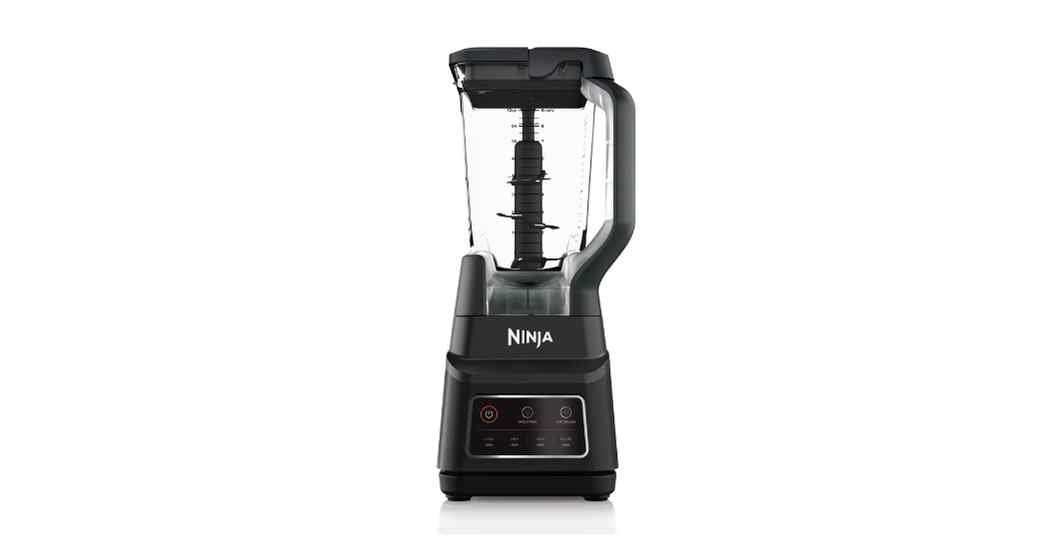
I wanted to make a healthy smoothie this morning. I put fresh fruit into my cup. I twisted the blades on tight. Then, I locked the cup onto the base.
The machine did not make a sound. My Ninja blender not recognizing cup attachments was a brand new problem for me. The power button just kept blinking. I could not blend my breakfast at all.
I spent the next two hours testing the machine. I looked at the motor and the base. I learned exactly why this error happens. You do not need to be a repair expert to fix this.
Most of the time, the fix takes just a few minutes. I will walk you through exactly what worked for me. I will show you how to check the parts. You will be blending your drinks again in no time.
Common Signs of the Problem
You will know right away when this error happens. The most common sign is a blinking power light. The machine acts like there is nothing on the base. It is a very clear warning.
You can press the buttons and settings all you want. The control panel might light up brightly. But the motor will stay totally quiet. The blades will not spin at all.
Sometimes, you might see all the lights flashing at once. These flashing lights mean the safety lock is not working. The base cannot feel the cup locked in place.
When my blender did this, I was worried. I thought the motor was completely dead. But the power cord was fine. The wall outlet had power. The base just could not detect the cup.
If the plastic tabs on your cup break, the base will not read it. If this happens to you, you might need replacement blender jars. I keep an extra jar in my kitchen. It saves me from buying a whole new blender.
Possible Causes
Why does this happen to good blenders? Ninja blenders have a built-in safety switch. This switch stops the blades if the cup is loose. It keeps your hands safe from sharp parts.
If the switch does not press down, the blender stays off. The most common cause is sticky food. Old smoothies can drip down into the base. This glue traps the safety switch.
Another big cause is a broken tab on the cup. Look at the bottom edge of your cup. There are three small plastic bumps near the threads. These bumps push the switch down.
If one of those bumps breaks off, the machine will not run. You also might have the lid locking system lined up wrong. If the cup is not twisted perfectly, it will not work.
| Symptom | Likely Cause | Quick Fix |
| Blinking power button | Cup is loose | Twist cup tight |
| All lights flashing | Switch is stuck | Wipe base slots |
| Motor stays quiet | Broken cup tab | Buy a new cup |
How to Fix Ninja Blender Not Recognizing Cup
Let us fix this annoying issue together. I tried several methods before finding the best trick. Here are the easiest ways to fix your machine. Follow these simple steps.
Check the Cup Tabs
First, pick up your blender cup. Look closely at the plastic tabs around the rim. These tabs must push down the switches in the base. If a tab is broken, it fails.
Run your finger over the plastic tabs. Feel for rough edges or flat spots. If they are chipped, they cannot press the switch. You just need a new cup.
Inspect the Base Switches
Look down inside the blender base. You will see little slots around the inner ring. These slots hide the tiny safety switches. They tell the motor to turn on.
Take a bright flashlight and look deep inside. Do you see dried food or sticky liquid? This is a huge problem. Sticky gunk holds the switch down.
Give It a Deep Scrub
You need to clean those little slots out well. Unplug the blender from your power supply first. Do not touch the drive coupling while it is plugged in. This keeps your hands safe.
Take a soft cloth or a damp paper towel. Wipe down the plastic inside the base. For the tiny slots, use small cleaning brushes. A cotton swab works great too.
Free the Stuck Switch
If the switch is stuck hard, warm water helps. Dip a cotton swab in hot water. Drip one drop of water into the slot. Wait about five minutes for it to soften.
Then, take a toothpick and gently poke the switch. You should feel it bounce up and down. Once it springs back up freely, your problem is solved.
Tighten the Blade Assembly
Sometimes the blender blades cause the whole issue. If the blade base is loose, the cup sits too high. This keeps the tabs from reaching the switches.
Take the blade assembly off the cup. Check the seals and gaskets. If a gasket is twisted, fix it flat. Then screw the blades back on as tight as you can.
Reset the Machine
Blenders have overload protection built right in. If the machine gets confused, it needs a hard reset. This is like rebooting a computer. It clears the memory.
Unplug the power cord from the wall outlet. Wait for at least fifteen minutes. Plug it back in and test it. This simple step fixes many software errors.
| Problem | Recommended Solution | Difficulty Level |
| Stuck base switch | Wash with warm water | Easy |
| Loose blade base | Check seals and tighten | Easy |
| Broken plastic tab | Replace the jar | Very Easy |
Mistakes to Avoid
Do not try to fix this with sharp metal tools. I once used a knife to poke the switch. I almost ruined the plastic inside the base. Use wood toothpicks instead.
Never bypass the safety lock to force the motor. Those locks protect you from spinning parts. Bypassing them is very unsafe. Do not put tape over the switches.
Do not pour water directly into the blender base. A damp sponge is fine for cleaning and maintenance. But soaking the base will flood the wires. It will break the machine forever.
Never ignore a burning smell. If you smell smoke while trying to start it, unplug it. Overheating means the motor is struggling. Let the machine cool down completely.
When to Replace the Blender
Sometimes a blender is just too broken. If you washed the switches and bought a new cup, test it. If it still blinks, the inner wires might be bad.
If your blender is very old, parts wear out. The motor might be weak. Or, the main computer board might be dead. You cannot fix a dead board at home.
If parts cost too much, buy a new machine. A fresh blender comes with a new warranty. It will save you time and stress.
| Repair Issue | Estimated Cost | Replace Instead? |
| Broken cup tab | Low | No |
| Bad power cord | Medium | Maybe |
| Dead motor | High | Yes |
My Personal Experience
When my blender stopped working, I was upset. I use it every single day for my health routine. Seeing those blinking lights was a bad start to my day.
At first, I just pushed the cup down really hard. That was a big mistake. Pushing down hard can actually bend the drive coupling. It can also cause leaks.
I finally took a step back and looked closely. I saw a tiny drop of dried strawberry inside a slot. It was as hard as a rock. It glued the switch down.
I used a toothpick and warm water to soften it. The little white switch popped right back up. I locked the cup in. The motor roared to life right away.
The whole fix took me ten minutes. I learned that keeping the base spotless is vital. It is the real secret to a long life for your blender.
Final Thoughts
Dealing with a blinking blender can ruin your morning plans. But most of the time, the fix is free and simple. You do not need to throw it away.
Just remember to check those plastic tabs on your cup. Make sure the switches in the base can move freely. Always keep the power cord unplugged while working.
By keeping your blender spotless, you stop this problem early. Cleaning up spills right away saves the switches. I hope these simple steps help you make your favorite drinks today.