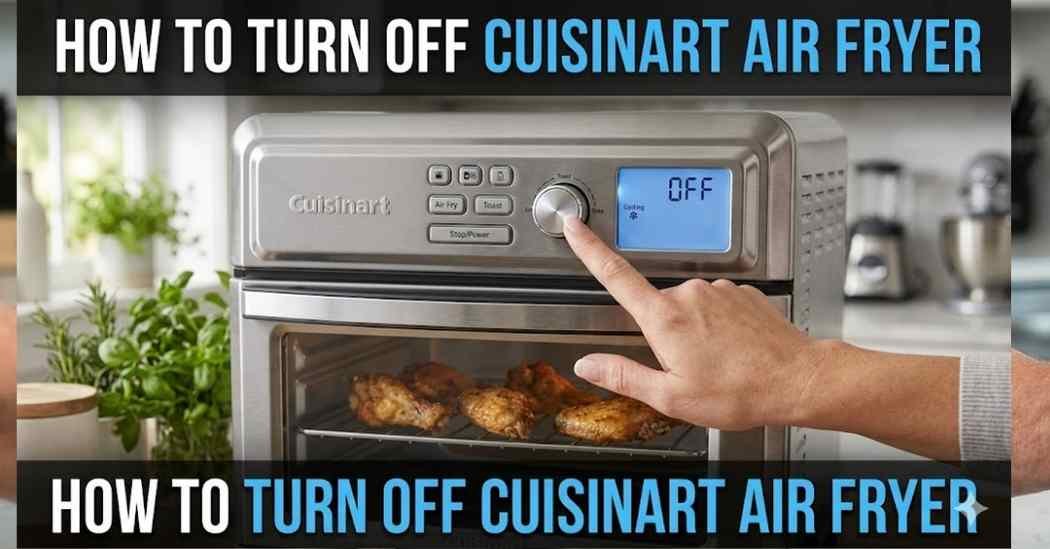
I love making crispy snacks at home. But recently, I faced a silly problem in my kitchen. I just could not figure out how to turn off cuisinart air fryer properly after cooking. It kept running and making noises.
This drove me crazy for a few days. The fan kept spinning long after the food was done. I worried I might break the machine if I just pulled the plug. So, I spent time testing different ways to shut it down safely.
Today, I want to share exactly what I learned with you. I will show you the exact button settings and steps I use. You will learn to control your machine without any stress. Let us fix this annoying issue together.
Before we dive into the buttons, let me share a quick tip. I always use nice silicone liners inside my basket. This saves me so much time when washing dishes. I also use simple cable organizers to keep my counter neat.
These small kitchen accessories make cooking much more fun. You do not have to worry about messy cords getting stuck. A tidy space makes it easier to reach the power switch safely. Now, let us look at the machine itself.
Common Signs of the Problem
You might notice a few weird things after your food is ready. The display screen might stay bright and active. Sometimes, the timer controls just keep blinking at you. This is a very common issue for many users.
Another big sign is the loud fan cooldown process. The motor keeps humming even when the timer hits zero. You might also hear a constant beeping sound. These alert tones can be very loud and annoying.
Why the Air Fryer May Not Turn Off Properly
There are a few simple reasons why this happens. Sometimes, the machine is just doing its normal auto shutoff routine. It needs time to cool the heating parts down. This protects the internal wires from getting too hot.
Other times, a stuck touch control is the real problem. If you press the buttons too hard, they can freeze. A messy control panel can also block the sensors. We need to understand these causes to fix them easily.
| Air Fryer Behavior | Normal or Problem? | What To Do |
| Fan runs after timer ends | Normal | Wait a few minutes |
| Screen frozen on a number | Problem | Unplug the machine |
| Machine beeps once | Normal | Serve your food |
How To Turn Off Cuisinart Air Fryer
Learning how to turn off cuisinart air fryer models is quite easy. You just need to know the right steps to take. I tested these methods on my own machine many times. Follow these simple steps to power down your unit properly.
Use the Power Button Correctly
The most obvious way is to use the main power button. On most models, you just press and hold it. Hold it down for about three seconds to be safe. You should hear a beep, and the screen will go dark.
Sometimes, just a quick tap is enough to pause the cooking. But a long press will usually force the standby mode. Always check if the lights turn off after you press it. This is the first thing you should always try.
Cancel the Cooking Cycle
If the main button fails, try ending the cooking cycle directly. You can usually do this by turning the timer dial to zero. If you have touch controls, tap the minus button until it hits zero. The machine will think the food is done.
This tells the brain of the machine to stop heating. The operating modes will switch off right away. It is a very safe way to trick the unit into stopping. I use this trick all the time when I burn my toast.
Sometimes buttons get stuck because of greasy fingers. A quick cleaning routine helped stop sticky buttons on my machine. I just wipe the panel softly after making dinner. You should always clean the display so it responds well.
I use non-abrasive sponges to wipe the dials gently. Soft cleaning cloths are great for removing oily spots. This simple habit keeps my touch buttons working perfectly. A neat machine is always much easier to use.
Wait for the Cooling Fan To Stop
Many people panic when the fan keeps running. Please know that this fan cooldown phase is totally normal. The machine blows cold air over the hot metal parts. This stops the plastic body from melting or burning.
Do not force the machine off while the fan is spinning. Just wait about two or three minutes for it to stop naturally. You will hear a click when it is finally done. Then it is safe to move on to the next step.
Unplug the Unit Safely
The absolute best way to ensure it is off is to unplug it. I always pull the plug out of the wall after cooking. This cuts off the power supply completely. It gives me great peace of mind when I leave the house.
Make sure your hands are totally dry before touching the plug. Gently pull the thick part of the plug, not the thin wire. I plug mine into reliable surge protectors for extra safety. This protects my favorite kitchen tools from bad power spikes.
Turn Off Beeping Sounds if Supported
The loud startup sounds and end alerts can startle you. Some advanced models let you mute these alert tones entirely. You usually have to press two buttons at the same time. Check your specific manual to see if you have a mute option.
If your model does not have a mute button, you just have to wait. The beeping sound usually stops after five quick chirps. I usually open the door right away to stop the noise. Opening the basket often silences the machine instantly.
How To Stop Air Fryer Beeping
Those loud beeps tell you when your food is ready. But they can wake up your family in the early morning. I found a few tricks to stop the noise fast. The quickest way is simply pulling out the cooking basket.
When you remove the basket, the machine pauses automatically. The annoying alerts will stop right away. You can also try pressing the main dial once. This simple touch usually clears the alert from the display screen.
| Symptom | Recommended Action |
| Endless loud beeping | Pull out the basket |
| Flashing lights | Press the cancel button |
| Fan will not stop | Unplug from the wall |
Mistakes To Avoid
I made a lot of silly mistakes when I first got my unit. One big mistake is ripping the plug out while it is cooking. This can break the internal computer board very quickly. Always pause the cooking cycle first before pulling the plug.
Another mistake is pushing the buttons way too hard. The touch controls are very sensitive and break easily. Also, never use sharp things to press the buttons. Treat your machine gently, and it will last for years.
When the Problem May Need Support
Sometimes, you might face a real hardware problem. If the machine stays hot after unplugging, that is very bad. If the screen flashes weird error codes, write them down. These are signs that the internal parts are broken.
In these rare cases, stop using the unit right away. Do not try to open the plastic case yourself. You could get a very nasty electric shock. Call the brand support line and ask for real help.
| Problem | Possible Cause | Solution |
| Buttons stuck | Dirty panel | Wipe with a soft cloth |
| No power at all | Blown fuse | Reset your kitchen outlet |
| Fan stays on | Normal cooling | Wait three minutes |
My Personal Experience
Testing all these buttons was quite an adventure for me. I used to get so mad at the loud beeping noises. But once I learned the simple basket trick, life got better. I actually enjoy using my machine every single day now.
I found that the simplest solution is usually the best one. Just letting the fan run its course is very important. I stopped fighting the machine and let it do its job. Now, we get along perfectly in the kitchen.
Final Thoughts
Turning off your kitchen tools should never be a stressful task. Now you know exactly what buttons to press and hold. You understand why the fan keeps spinning after you cook. These small tips make cooking much more fun and relaxing.
Always remember to unplug your machine when you are done. Keep the front panel nice and neat for better button response. Treat your appliance well, and it will make great food forever. Happy cooking, and enjoy your crispy meals safely!